It reads the letters off the page.
Point the camera at a report and Cura reads the text on it, with an offline reader that runs on the phone. It reads the page. It does not decide what the page means.
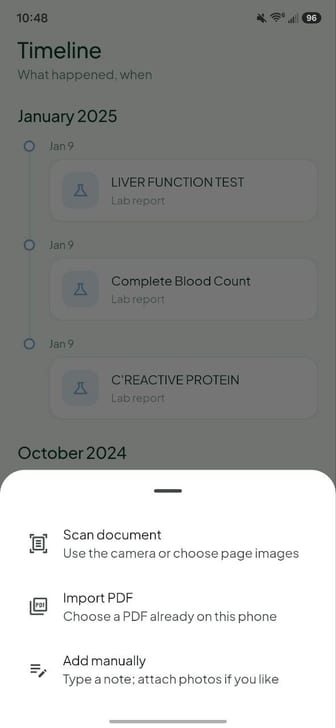
Scan a report. Cura reads it on the device, files it, and answers questions about it. No account. No server. No telemetry.
Every value is checked against the text on the page before it is kept. Here is what actually happens to a scan.
Point the camera at a report and Cura reads the text on it, with an offline reader that runs on the phone. It reads the page. It does not decide what the page means.
A lab report is a table, so Cura works the table out by measuring: which value sits on which row, next to which test. That part is arithmetic, and a bill breakdown is never anything else. The AI can suggest a title, a type or a date, but a suggestion is thrown away unless those words are actually printed on the page, and no number ever comes from the AI.
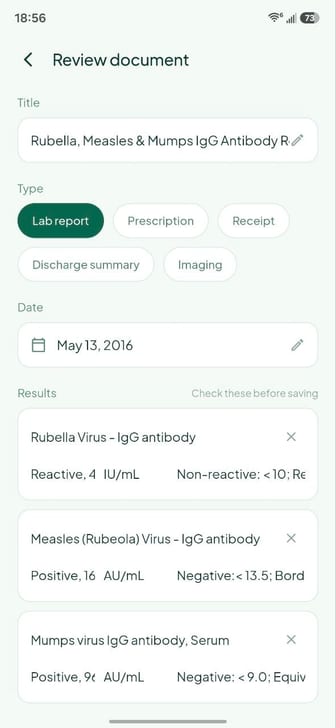
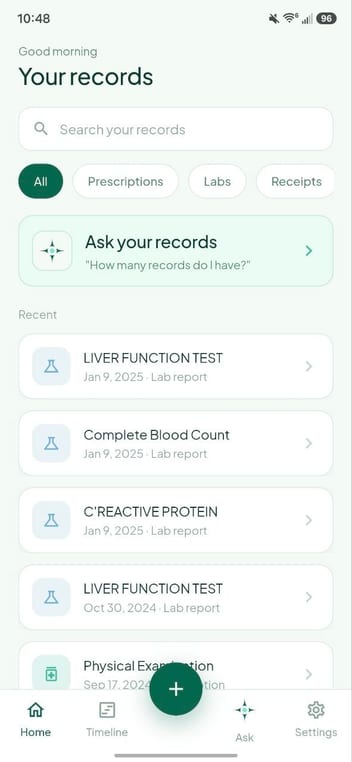
Everything goes into one searchable library and a timeline in date order. Before it saves, Cura shows you what it read, so you can fix or delete anything that came out wrong.
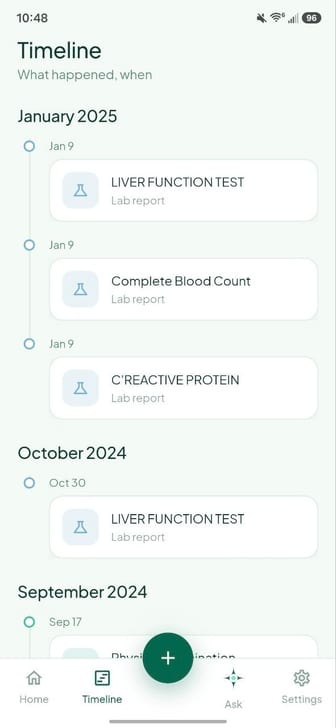
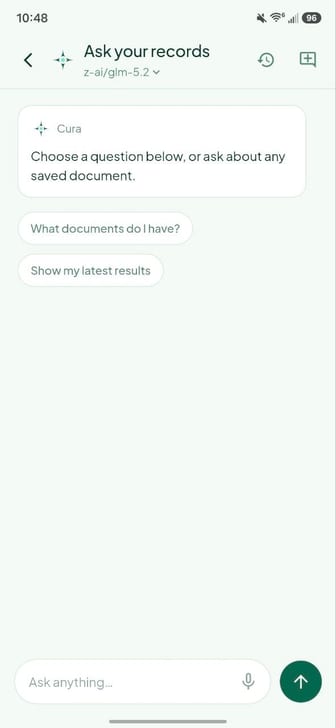
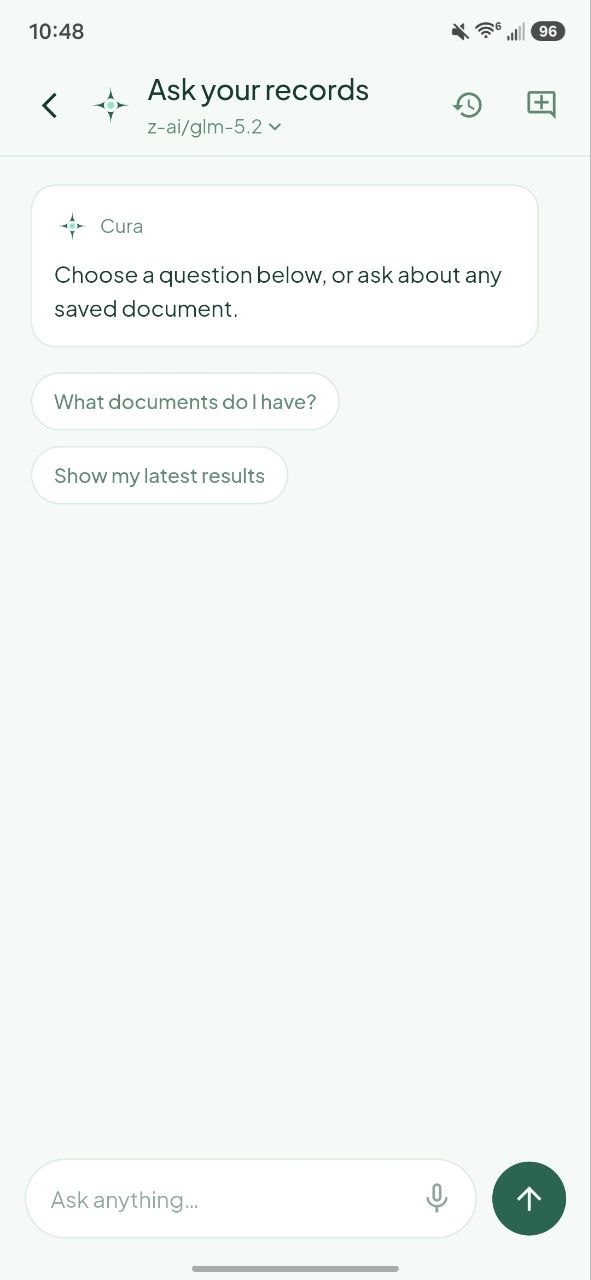
What was my haemoglobin last time. How much did that surgery cost. When was that scan. Cura answers from what it filed, and shows you the report it took the answer from.
On-device is the default and needs no account. Cloud exists because some phones are too slow for a language model, and it is off until you turn it on.
Runs inside the app on your phone. No account, and no network at all once the model is on the device.
One model is downloaded once, then never again. Three open GGUF builds, no login or token:
Note: answers are slower than cloud, and the speed depends entirely on your phone. It works best with 6 GB of RAM or more.
Cura can talk to any OpenAI-compatible endpoint using your own API key, after a one-time explicit consent. Off until you turn it on, and the privacy text in Settings changes the moment you do.
Presets are built in for these, and any other base URL can be added:
Note: your key is held in encrypted storage backed by the Android Keystore, never in plain preferences. You are billed by whichever provider you pick. Cura takes no cut and has no key of its own.
No account, no sign-in, no server holding anything. Once the app and whichever model you chose are on the phone, reading a report and answering a question about it need no network at all.
Reading is local. The camera hands Cura cropped pages and the text recognition runs on the device. A PDF you import is copied into Cura’s own storage and rendered there, up to twenty pages. No image, no PDF and no recognised text is uploaded.
So is the answer. Counts, dates, latest values and lists are read straight from the fields Cura saved, with no model in the loop, which is why they come back instantly and why they work before you have downloaded a model at all. Anything longer goes to the model running inside the app, with your question, a little recent conversation and excerpts from your own documents. It cannot open other apps, use the microphone, or read files you never added to Cura.
Tidies up Scans in the background. When a scan leaves behind a long wall of narrative text, Cura queues that document and lets the model rewrite it into something readable, one document at a time, while you carry on. Asking a question takes the model straight back, and the queue picks up where it left off. A rewrite that comes back padded, or carrying a number the page never had, is thrown away and the document keeps the plain summary it already had.
One model, downloaded once. You pick one of three open builds and Cura fetches it a single time, then never again. Voice is the same shape: an optional 57 MB Whisper model that transcribes on the phone and deletes the recording afterwards.
Note: being on the phone is not the same as being encrypted. Cura keeps everything in its private Android sandbox, which other ordinary apps cannot read, but it adds no second layer of its own. Your screen lock and Android’s device encryption are what stand behind that, and an optional biometric lock is in Settings.
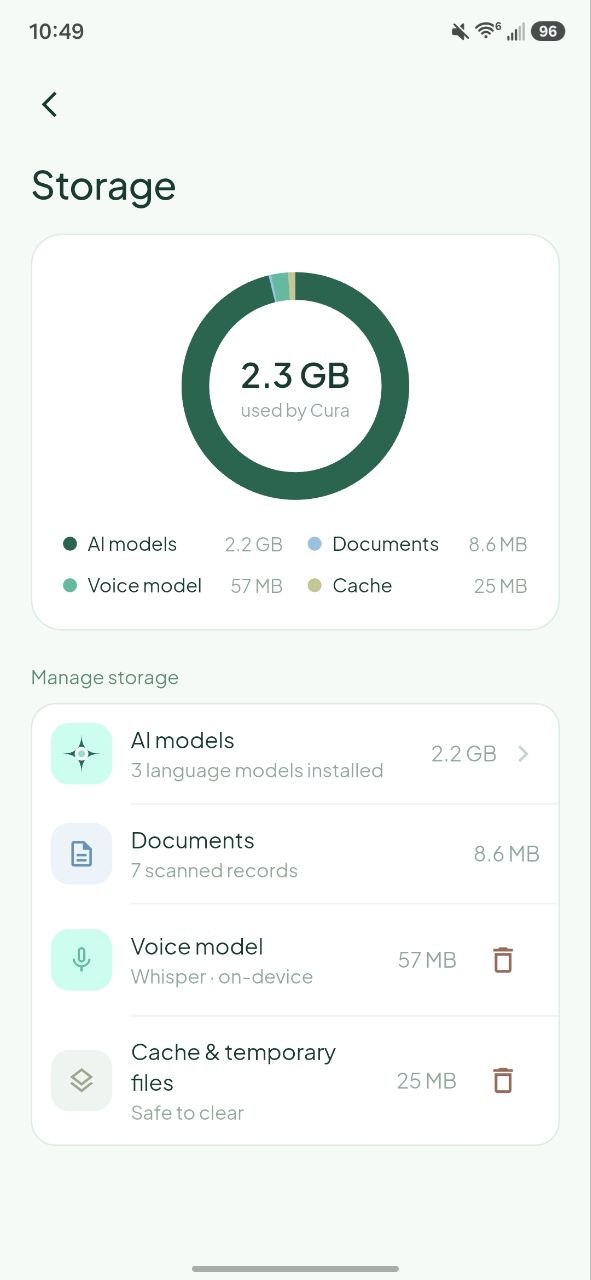
The Storage screen. Everything Cura holds, sitting on the phone, with no copy anywhere else.
Cloud stays off until four separate things are true: your own API key is saved, a provider and model are chosen, the engine is switched over, and a one-time disclosure is accepted.
It is not only the Ask screen. Whichever engine is active also refines a new scan, rewrites a saved summary, and writes the sentences under a trend chart, so those go to your provider too.
What goes, and what does not. A minimised version of your question, a little recent conversation, a safe document title (or just the document type, when the title itself is not safe), dates, structured results and allowlisted excerpts. The page image, the original PDF, local file paths and raw OCR are never sent. Your key travels in the authorization header, because that is how the provider knows the request is yours.
What comes back is still checked. A value the provider returns is verified against the full page as it was read on the phone, never against the shortened version that left, and a row already read from the page is never replaced.
Note: the provider is a third party. Its terms, retention and training rules apply to whatever it receives, and it also sees your IP address and request timing. Redaction lowers the risk but cannot promise anonymity, and medical detail can identify a person once it is combined with information from elsewhere. If that trade is not worth it, stay on device. Switching back is one tap, and disconnecting deletes the key.
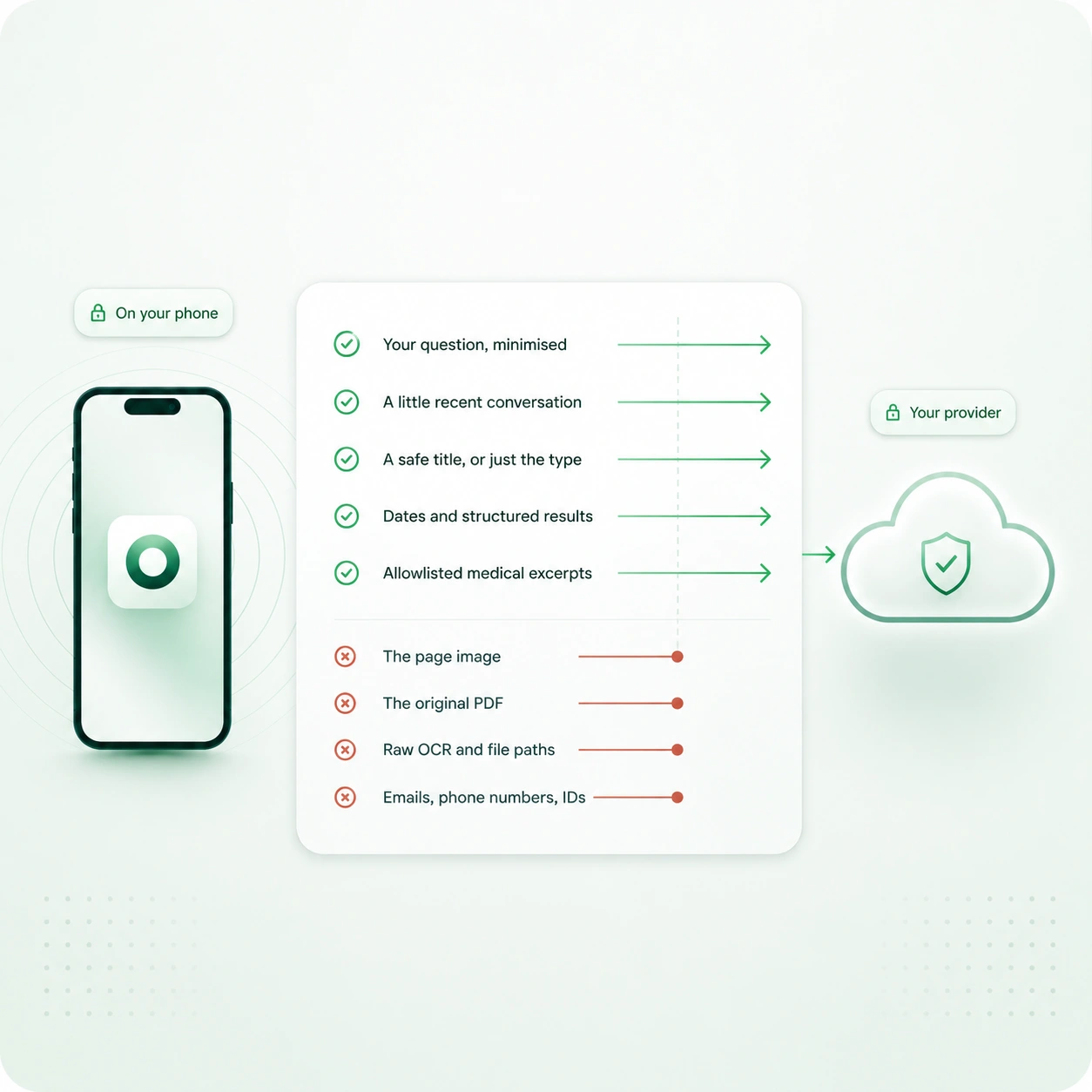
What crosses the line, and what does not.
An allowlist keeps only the lines carrying a medical signal: a value with a unit, a reference range, a verdict, a section heading, a procedure, the title, the date. Everything else is dropped as a block.
That is what removes the letterhead, the patient details and the footer in one go. Names, addresses, hospital IDs and phone numbers live in those blocks, so they go no matter how they are worded. A second pass then scrubs whatever survived.
13of 13 lines leave the phone
On-device is never redacted, because nothing leaves. Your stored documents always keep their full text.
Sample page. The values, names and identifiers here are invented.
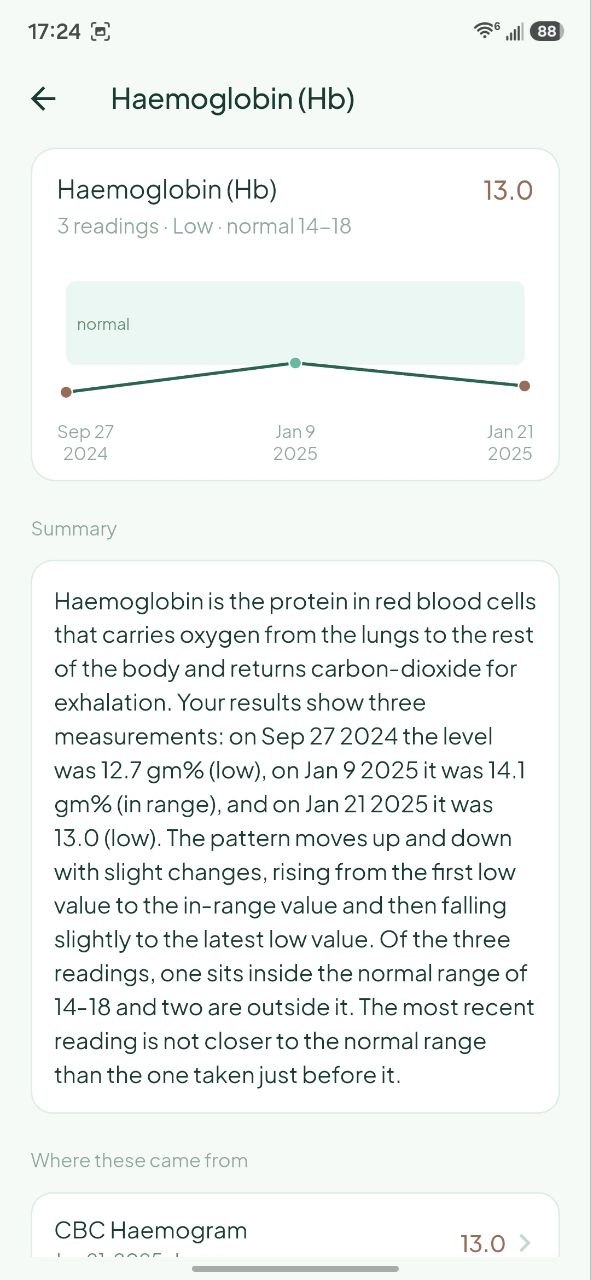
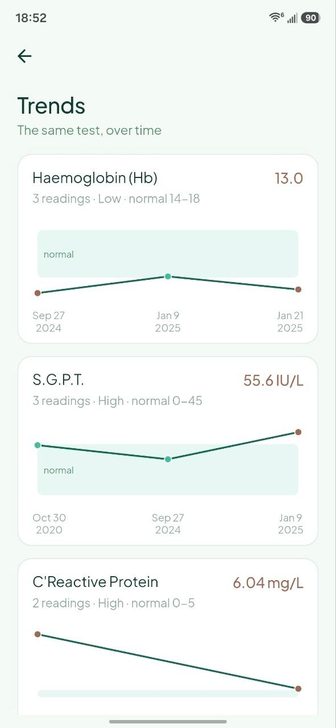
A measure starts charting once it appears in two or more of your reports. Bills and prescriptions are skipped, and so is any row still flagged for review.
Seven markers chart by default: Haemoglobin, Platelet count, Bilirubin, SGPT, HbA1c, Glucose and CRP. Anything else that repeats is one tap away under Track a measure.
Note: points are spaced evenly rather than by time, so the gap between two dots is not proportional to the gap between two dates. The real date is printed under every point. The shaded band is the normal range from your most recent report.
What was my hemoglobin last time. How much did that surgery cost. When was that scan. The pile of paper could not answer any of those.
Download Cura from the GitHub repo and start using it. It is not on the Play Store for now, but it will be.
Download APK